



- 已加入
- 12/22/08
- 訊息
- 4,303
- 互動分數
- 2
- 點數
- 38
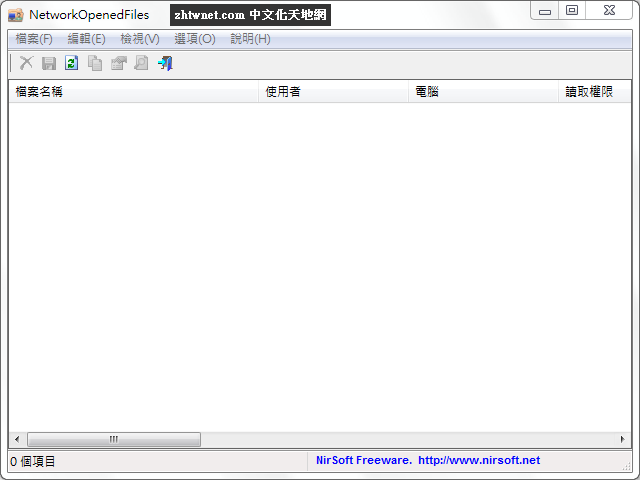
NetworkOpenedFiles 是一款由 NirSoft 所出用來看看誰正連上共享資料夾來存取您的共用檔案以及顯示目前由您的網路上的其他電腦所開啟的所有檔案清單。
NetworkOpenedFiles 的目的是告訴是誰連接到共享資料夾以及究竟他們存取了什麼共用檔案。對於每個開啟的檔案名稱,將顯示以下資訊:檔案名稱、使用者名稱、電腦名稱(對
Windows 7/2008 或更高版本)、權限資訊(讀取/寫入/建立)、鎖定次數、檔案擁有者、檔案大小、檔案屬性,和更多...
【軟體名稱】:NetworkOpenedFiles 1.12 中文版 - 看看誰連上共享資料夾
【軟體大小】:300 KB(解壓後)
【作業系統】:Windows All
【官方網站】:http://www.nirsoft.net/utils/network_opened_files.html
【語言種類】:正體中文(本正體中文語系檔已獲官方採用)
【正體中文編譯】:丹楓
NetworkOpenedFiles is a simple tool for Windows that displays the list of all files that are currently opened by other computers on your network. For every opened filename, the following information is displayed: Filename, user name, computer name (On Windows 7/2008 or later), Permissions information (Read/Write/Create), locks count, file owner, file size, file attributes, and more...
載點:(解壓密碼:zhtwnet.com)
下載連結→ [按此下載]
NetworkOpenedFiles 的目的是告訴是誰連接到共享資料夾以及究竟他們存取了什麼共用檔案。對於每個開啟的檔案名稱,將顯示以下資訊:檔案名稱、使用者名稱、電腦名稱(對
Windows 7/2008 或更高版本)、權限資訊(讀取/寫入/建立)、鎖定次數、檔案擁有者、檔案大小、檔案屬性,和更多...
【軟體名稱】:NetworkOpenedFiles 1.12 中文版 - 看看誰連上共享資料夾
【軟體大小】:300 KB(解壓後)
【作業系統】:Windows All
【官方網站】:http://www.nirsoft.net/utils/network_opened_files.html
【語言種類】:正體中文(本正體中文語系檔已獲官方採用)
【正體中文編譯】:丹楓
NetworkOpenedFiles is a simple tool for Windows that displays the list of all files that are currently opened by other computers on your network. For every opened filename, the following information is displayed: Filename, user name, computer name (On Windows 7/2008 or later), Permissions information (Read/Write/Create), locks count, file owner, file size, file attributes, and more...
載點:(解壓密碼:zhtwnet.com)
下載連結→ [按此下載]
